Skip to content

Case study 03 · WOWStudio · 2026

Fix the code,
not the symptom.

How I turned new accessibility laws into two products: a free WordPress plugin that fixes issues at the source, and AccessibilityBrief, a checker for any website. Including the call to pivot when the plugin market turned out crowded.

(01) — At a glance

Role, team & stack.

Role

Founder & developer

Research, product design, build and launch, under my WOWStudio brand.

Team

Solo

Product, design, code, docs and marketing.

Timeline

2026

Market research → plugin on WordPress.org → AccessibilityBrief SaaS.

Stack

WordPress · SaaS

PHP, WordPress APIs, Action Scheduler, JavaScript; a REST API, CLI and MCP server for the SaaS.

(02) — The problem

What needed solving.

The European Accessibility Act and ongoing ADA claims mean small businesses now need accessible websites, and most can’t afford an audit. The quick fix on the market is the overlay: a script that sits on top of the page and promises compliance without changing the code underneath.

I wanted the opposite: find the real problems, fix them in the markup, and be honest about what automated testing can’t prove. Two constraints shaped everything: no AI token costs eating the margin, and no tracking of the site’s visitors.

(03) — The approach

How I tackled it.

01

Research before code

Mapped the opportunity (WordPress 7.0’s AI APIs, the EU Cyber Resilience Act, the EAA) and studied the competition before choosing what to build.

02

A plugin that fixes, not hides

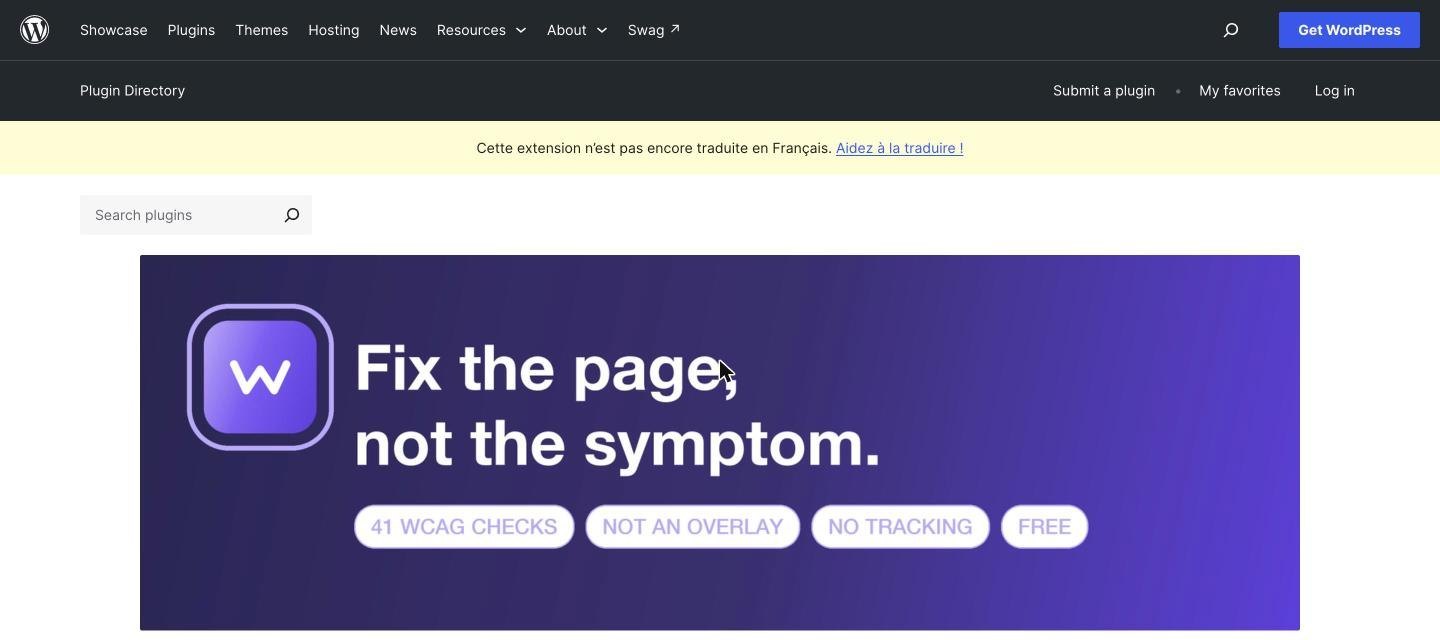
WOWStudio Accessibility Remediation: 41 WCAG 2.2 checks (36 on the server, 5 in the browser), fixes shown as a preview and diff, stored in a reversible layer, then re-measured to catch themes that override them.

03

Know when to pivot

The plugin shipped, but the WordPress plugin market proved saturated. Rather than fight for installs, I took the engine’s ideas to every platform as a SaaS.

04

AccessibilityBrief

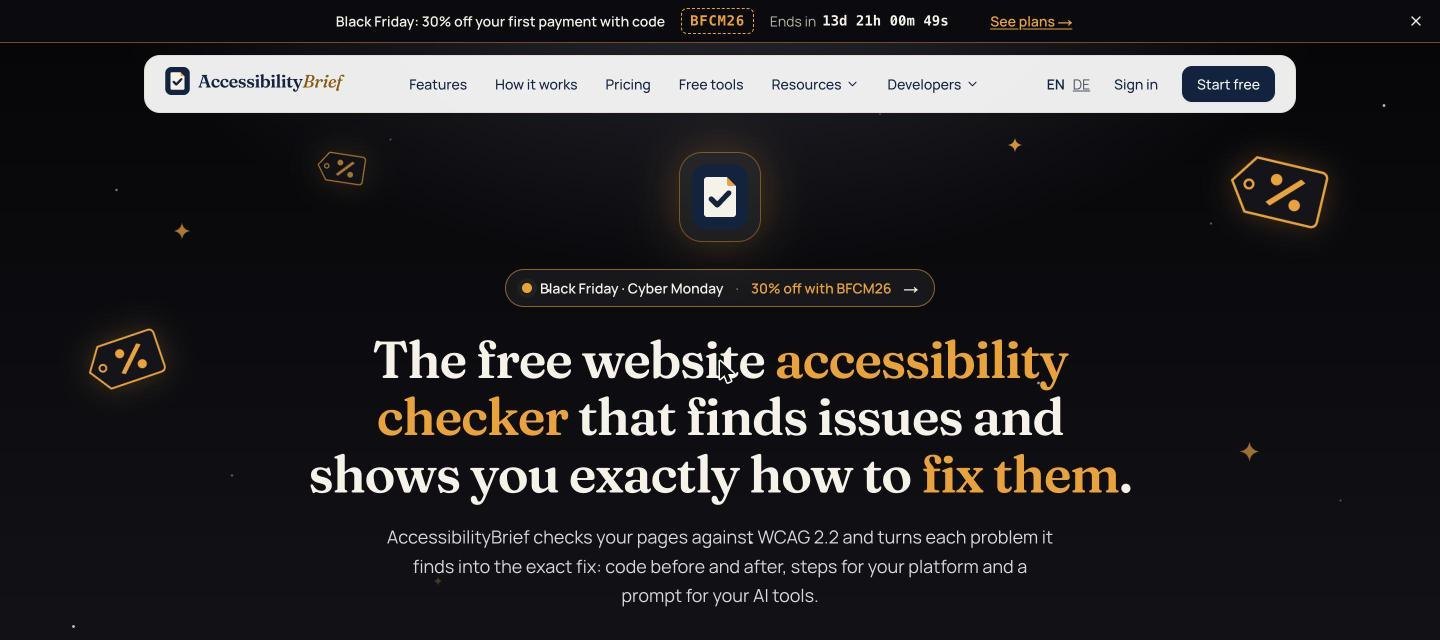
Checks any site against WCAG 2.2 and turns every issue into a fix: code before and after, platform steps, and prompts for AI coding tools. It injects nothing into the client’s site.

(04) — Tech used

Tools of the job.

Plugin: PHP 8.1, WordPress 6.8+ APIs, Action Scheduler for background site-wide scans, server-side HTML analysis plus in-browser checks for contrast, target size and layout. SaaS: scheduled rescans, score trends, email and Slack alerts, GitHub and Linear exports, a REST API, a CLI and an MCP server.
(05) — Results

What changed.

WCAG 2.2 checks

41

In the free plugin, each labelled auto-detected or needs manual review.

Overlays, trackers or AI calls

0

The plugin uses no external services. The SaaS injects nothing into client sites.

Lighthouse accessibility

100

accessibilitybrief.com on mobile, measured with PageSpeed Insights on 23 Nov 2026.

Lighthouse performance

93

Mobile. Best Practices 100, SEO 100.

(06) — Lighthouse

Measured, not claimed.

Performance · Mobile

93

Accessibility · Mobile

100

Best Practices · Mobile

100

SEO · Mobile

100

PageSpeed Insights (Lighthouse), run on 23 November 2026.

(07) — Before & after

Then and now.

WOWStudio Accessibility Remediation listing on WordPress.org

Version 1

WordPress plugin

WOWStudio Accessibility Remediation on WordPress.org.

AccessibilityBrief homepage

Version 2

AccessibilityBrief

The SaaS: checks any website, not just WordPress.

(08) — Sources

Check my work.

Sources: Plugin on WordPress.org · AccessibilityBrief · PageSpeed Insights run on 23 Nov 2026.

Let's talk

Got a project?
Let's make it move.

Freelance builds, product collaborations, or a long-term partner for your agency. I’m open to it.